Every Last Grain Troubleshooting - Loading, Controls & Save Help
Begin Every Last Grain troubleshooting by keeping the current tab open and exporting a save from Settings if possible. Then choose the matching symptom below. Do not clear site data first: exploration lives in this browser, and there is no account copy for support to restore.
This help covers the independent game on everylastgrain.xyz. For Oliver Kuso’s original, use the official itch.io page. Saves and controls from different editions are not interchangeable.
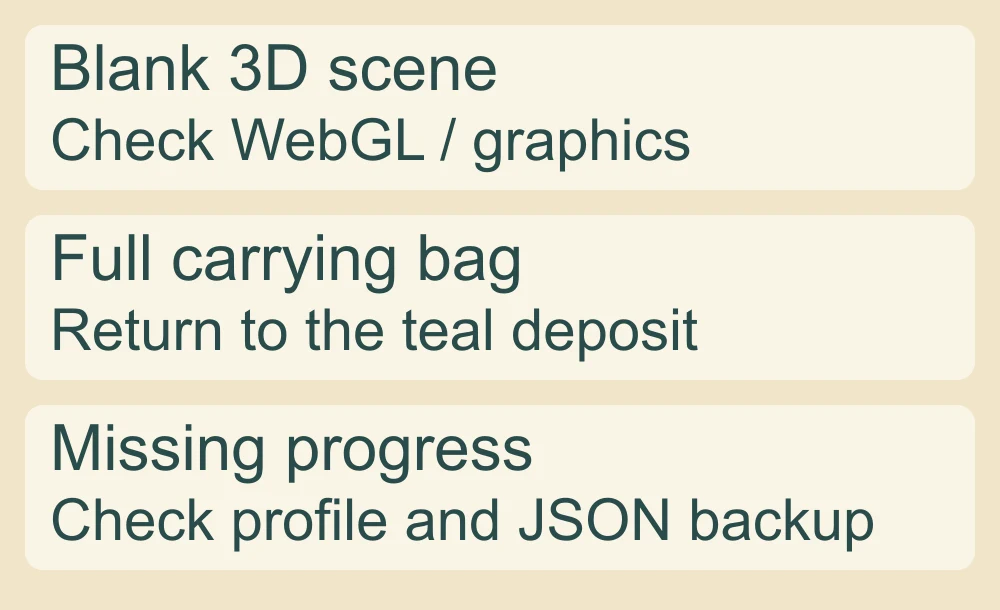
Every Last Grain troubleshooting for a blank screen
Check whether the guides open
Open How to play to separate a scene problem from a whole-site failure. If the guide loads but the 3D scene cannot start, continue Every Last Grain troubleshooting with graphics: use a current browser with hardware acceleration available, close demanding 3D tabs and retry. Managed school Chromebooks may restrict graphics or websites; this game cannot override those policies.
If every page fails, wait and retry the homepage. At this stage, Every Last Grain troubleshooting should focus on the visible connection or hosting error, rather than assuming the save is damaged. One failed request does not identify the cause. For a report, record the actual message and whether other pages open.
Export before reloading an interrupted scene
A graphics interruption offers Export save and Reload game. The safe Every Last Grain troubleshooting order is export, confirm the JSON download, close another graphics-heavy tab or app, then reload. Your last successful automatic save remains local. Refreshing a time trial abandons that attempt and returns to the exploration save; it cannot resume the same online run.
Mouse, keyboard or touch controls do not respond
Return focus to the scene
Choose Start digging or Continue digging and close open panels. Click the scene for mouse look. Basic Every Last Grain troubleshooting often ends here: Esc, tab switching and leaving fullscreen can release the pointer. Arrow keys can turn without capture. P opens Settings, U equipment and C the collection; letters entered in a form are not movement controls.
Reduce Look sensitivity if small motions turn too far. Sudden large mouse jumps are ignored to prevent spins. After switching applications, resume from the menu and re-enable Auto dig if needed. This distinction matters in Every Last Grain troubleshooting: stopped automatic input is expected after losing focus, rather than evidence that the tool or save has failed.
Every Last Grain troubleshooting on touch screens
Move with the left stick, drag an open area to look and hold the separate Dig button. Auto dig lets you steer without another held control. For touch-based Every Last Grain troubleshooting, watch the central aiming marker: tapping a mound does not select that finger position. After a cancelled gesture, lift your fingers and begin again.
If landscape feels crowded, try expanding the game or returning to portrait. Note whether a hidden control occurs with enlarged text, normal text or both. Include screen size and orientation in an Every Last Grain troubleshooting report. Keep your preferred reading settings; the useful evidence is which button is covered and when it happens.
Holding Dig collects no sand
Check the bag before changing equipment
A full bag stops pickup. Follow the camp arrow to the teal deposit south of the dune, slightly west of the starting point. Stand close to unload automatically or hold Sell sand from its longer reach. During Every Last Grain troubleshooting, remember that tools change speed and radius; bags separately determine carrying space.
Aim down at sand and walk closer if the ring cannot reach a distant slope. Exposed brown clay contains nothing more to collect. The next Every Last Grain troubleshooting check is the target itself: even a wide tool needs sand inside its circle. Sweep toward a pale ridge rather than continuing over a bare hole.
The percentage is almost 100%, but there is no result
The percentage is rounded, and small patches can remain at edges or behind ridges. For this Every Last Grain troubleshooting case, follow the golden marker to the last patch, then sweep visible pale sand at the edges. The completion check cleans tiny final residue and recovers missing finds. A result confirms the clear; the find map helps orient a dune still below 14 discoveries.
Every Last Grain troubleshooting for stutters or heat
Reduce drawing work without changing the rules
Select Low under Graphics in Settings. It reduces drawing resolution without changing mass, rewards or trial equipment. Turn off Gentle movement to reduce tool motion and close demanding tabs. A smaller game area may help. These Every Last Grain troubleshooting changes preserve progress; they do not require deleting a save or replacing your equipment.
Battery-saving modes and warmth can affect performance during a session. Smoothness on another device does not establish what yours should achieve. Useful Every Last Grain troubleshooting details include browser, device, graphics setting and whether stutters begin immediately or after several minutes. Preserve an export before investigating anything that might close the current tab.
The vacuum or treasure ping is too loud
Use the separate volume controls
Sound effects sets the main level. Vacuum volume adjusts continuous vacuum noise, and Treasure ping controls the locator tone, which begins muted. Audio-specific Every Last Grain troubleshooting does not require removing Treasure sense: its visual help works silently. Set the main slider to zero for complete mute. Sound starts only after you choose to play.
Leaving the tab suspends audio. Return through Back to digging or click the scene so the browser can resume it. If sound remains absent, check the game slider and the browser’s tab mute. Those two settings are separate Every Last Grain troubleshooting checks. There is no background music track needing another switch.
Every Last Grain troubleshooting for missing saves
Check browser and profile before replacing data
Return to the same browser, profile and site address. Private browsing, cleared storage, school policies or another profile can all show an empty dune. Save-related Every Last Grain troubleshooting starts by checking for an earlier exported JSON file. If another tab still has useful progress, export from it before closing anything.
Import accepts this edition’s exported JSON. Incomplete, unreadable or oversized files are rejected without replacing the current dune. For import-related Every Last Grain troubleshooting, keep the original export unchanged and retain a second copy. Renaming a screenshot or an original-game save to .json does not turn it into a compatible backup.
Another tab has a newer dune
When tabs have different progress, the older one stops saving. Choose Export this tab to preserve its version, then Load latest save for the newest browser copy. Multi-tab Every Last Grain troubleshooting cannot merge two excavated landscapes. After choosing which version to keep, use one active game tab to avoid another conflict.
If saving is unavailable, the status beneath the game asks you to export. Confirm the file exists before leaving. No Every Last Grain troubleshooting step can reconstruct deleted exploration from a nickname: the online board stores trial results, not your adventure. Preserve any remaining file or working tab before asking support about recovery.
Every Last Grain troubleshooting for rejected runs
Read the completed result message
If you closed the result, choose View completed run in Settings. Use a non-personal nickname with 2–18 letters, numbers, spaces, underscores or hyphens. Trial-specific Every Last Grain troubleshooting also checks the ten-minute limit, the same connection and valid movement and digging replay. Menus and background tabs do not pause the clock; a reload abandons the attempt.
For a temporary service error, leave the completed run open and retry. Repeating an accepted submission safely returns the same score rather than another entry. If Every Last Grain troubleshooting does not resolve the rejection, send its exact message, browser, time and date. Never include passwords or private account details.
The trial rules cover normal timing and submission. After Every Last Grain troubleshooting, return to digging with your chosen save intact.